Key takeaways
- The Shopify AI development model moves the starting point of a build from a bought template to a written prompt. You describe the outcome, an agent drafts native code, and a human reviews it.
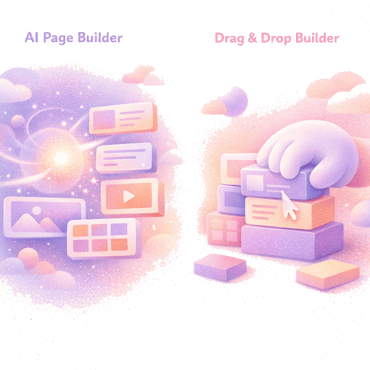
- The old model was pick a theme, install page-builder apps, and drag blocks around. It is stable and familiar, but it locks design and behaviour to what the template and the app allow.
- What changed is a real context layer. Shopify shipped an AI Toolkit that feeds coding agents current docs and schemas, so generated code is usually valid on the first pass.
- The new model is not “AI replaces developers.” It is prompt to reviewed native code, with the human keeping judgment, safety, and the publish button.
- The old and new models are not mutually exclusive. Most stores will run a blend for a while, and the split falls along who does the work, not which is objectively better.
For a decade, starting a Shopify storefront meant the same first move: buy a theme. The Shopify AI development model changes that first move. Instead of choosing a template and then bending it to fit, you describe what you want and an agent writes the code.
This is an argument, not a spec sheet. I think the center of Shopify development is shifting from templates and drag-and-drop toward prompts and reviewed native code. But the shift is uneven, it has real tradeoffs, and the hype around it oversells how much a human can step back.
Why you can trust us
We have been in the Shopify space for over four years and have worked with hundreds of stores.
Jacques, our CTO, has more than 15 years of development experience and has built storefronts for many Shopify brands.
We built Fudge, the AI operator for Shopify stores, with a 4.9 rating on the Shopify App Store and a Built for Shopify badge. We are biased toward our own product, and we will be upfront about where it fits and where it does not.
The old model: buy a theme, install apps, drag blocks
For most of Shopify’s history, building a storefront followed one path.
First, you bought a theme. The Shopify Theme Store lists a few hundred free and paid themes, and a paid theme runs a one-time fee.1 The theme decided your layout system, your color options, and how far you could go without touching code.
Second, you installed apps to fill the gaps. Product pages need a bundle widget the theme does not ship with. A campaign needs a landing page the theme cannot build. So you added a page-builder app - PageFly, GemPages, Shogun, Replo, or one of the many others.
Third, you dragged blocks around. Shopify’s own Online Store 2.0 editor lets you add, reorder, and remove sections on most page types without code. Page-builder apps sit on top with their own visual canvas.
This model works. It is why non-technical founders can launch a store in a weekend. It has three real strengths.
- It is predictable. You see what you build. There is no ambiguity about what a drag produces.
- It is accessible. No code knowledge required. The theme and the app do the templating.
- It is mature. These tools have years of polish, template libraries, and support behind them.
But the old model has structural limits that get more painful as a store grows.
The ceiling of a bought template
A theme is a set of decisions someone else made. When your brand needs something the theme did not anticipate, you are stuck between two bad options: hire a developer to fork the theme, or force the design into the nearest thing the theme allows.
The weight of stacked apps
Every page-builder app adds scripts. Many inject their own CSS and JavaScript on every page they touch, which is one of the most common reasons a store’s page speed degrades over time. You also inherit lock-in. Uninstall the app and the pages it built often break, because the content lived in the app, not in your theme.
The gap between “close enough” and “right”
Drag-and-drop is fast for the common case and slow for the specific one. Pixel-level control, custom interaction, and logic that depends on your data usually mean dropping to code anyway. The builder gets you 80% of the way and then hands you a wall.
None of this makes the old model bad. It makes it a set of tradeoffs that were the only practical option for a long time.
What changed: agents got a real context layer
The reason prompt-driven development was not viable two years ago is simple. A general language model does not know Shopify well enough to be trusted with Shopify code.
Ask an untooled model for a Liquid section or a GraphQL mutation and it invents field names, uses deprecated filters, and guesses at the Admin API version. The output looks right and fails on contact.
The thing that changed in 2026 is that Shopify closed that gap with its own tooling.
Shopify released the AI Toolkit, open-source infrastructure that connects AI coding agents to Shopify’s live documentation and API schemas. It reached general availability in the Spring ‘26 Edition and supports Claude Code, Cursor, Codex, VS Code, and more.2
It does two jobs that matter.
- Docs search. The agent queries Shopify’s current documentation instead of relying on stale training data.
- Schema validation. The agent checks its own GraphQL, Liquid, and extension code against bundled schemas before it ships.
That second job is the quiet unlock. Validation turns “looks right” into “is schema-valid,” which is the line between an agent that wastes your afternoon and one that saves it.
This is not an isolated feature. Shopify has been pushing AI across the platform at once. Weekly active shops using its Sidekick assistant grew 4x year over year in Q1 2026.3 On the storefront side, AI searches powered by Shopify’s Catalog convert at twice the rate of those using scraped data.4 For the wider map, see our state of Shopify AI in 2026 overview.
The point is that the context layer, not the model, is what made prompt-driven Shopify development real. Once an agent can look up the truth and check its own work, the first move in a build stops being “pick a template.”
The new model: prompt to reviewed native code
Here is the shape of the new model, stated plainly.
You describe an outcome in plain language. An agent drafts native code against current Shopify schemas. A human reviews it. Then it ships.
The output is the same thing a developer would have hand-written: Liquid, JavaScript, and CSS that live in your theme. Not a proprietary block trapped inside an app. Not a widget that breaks on uninstall. Theme code.
That distinction is the whole argument. In the old model, the artifact of a page-builder app is app-owned content. In the new model, the artifact is native theme code you own.
Why native output matters
Native code has properties that stacked-app content does not.
- No render tax from a third party. The code is yours, so there is no vendor script loading on every page.
- No lock-in. Remove the tool that generated it and the code stays. It is in your theme, in git if you use it.
- Full control. Anything a developer could write, the agent can draft, because it is writing in the same language.
Where the human stays
The new model is not autopilot, and anyone selling it that way is overselling. The agent is fast at volume and unreliable at judgment.
It does not know whether overwriting product copy will tank rankings that took months to earn. It does not feel a page get slower. It does not know your brand’s spacing rules or which layout converts. Those are still human calls.
The discipline of the new model is review, not prompting. As we argued in our guide to AI-first Shopify development, the hard part is the governance layer: what the agent can write, what needs approval, where drafts live, and how you roll back.
Old model vs new model, side by side
| Dimension | Old model (templates + drag-and-drop) | New model (prompt to native code) |
|---|---|---|
| Starting point | Buy a theme, install page-builder apps | Describe the outcome in a prompt |
| Who builds | Merchant drags, or developer forks the theme | Agent drafts, human reviews |
| Output | App-owned blocks and theme presets | Native Liquid, JS, and CSS in your theme |
| Ceiling | What the theme and app allow | What the language allows |
| Lock-in | Pages can break when an app is removed | Code stays; no vendor dependency |
| Speed on common tasks | Fast | Fast |
| Speed on custom tasks | Slow, often needs a developer | Fast, agent drafts custom code |
| Main risk | Performance drag, stacked-app bloat | Live-store execution with no review |
| Accessibility | High, no code needed | High with the right tool; low with a raw CLI |
The old model’s risk is bloat and a ceiling; the new model’s risk is an agent writing to a live store with no draft or undo.
Is drag-and-drop dead?
No, and claiming otherwise is the kind of hype this piece is trying to avoid.
Drag-and-drop is excellent for the common case handled by a good theme: a standard product page, a simple collection, a homepage that fits the template. If your needs sit inside what the theme was built for, a visual editor is the fastest path and a prompt adds nothing.
We keep a full comparison in AI vs drag-and-drop Shopify page builders and a ranked list in the best AI page builders for Shopify. The fair read is that the two approaches overlap heavily and the right choice depends on how far your design sits from the template’s defaults.
The prompt-driven model wins where drag-and-drop hits its wall: custom logic, data-dependent behaviour, brand-specific design, and anything the theme did not anticipate. For a store that has outgrown its template, that is a lot of the work.
The practical answer for most stores is a blend. Use the visual editor for the ordinary, and prompts for the parts that used to require a developer.
What it means for merchants
For a merchant, the promise of the new model is the speed of AI without learning Liquid or running a terminal.
That promise only holds if the tool is built for a merchant, not a developer. A raw coding agent hands you a general model and a CLI, and once you allow mutations, the CLI writes straight to your live store, with no draft and no undo. That is not a merchant surface. It is a fast way to overwrite a product catalog by accident.
A merchant-facing version of the new model needs more than code generation.
- Shopify best practices built in. A general model writes generic templating unless you steer it every prompt. A purpose-built tool encodes Online Store 2.0 sections, schema settings, and performance patterns so output follows best practice by default.
- Drafts and preview. Every change starts as a draft you see rendered on your store before it goes live, not a diff you read and imagine.
- Rollback and history. You can find a past change, revisit it, and undo it.
- Native output. The result is theme code, so there is no lock-in if you leave.
This is the job Fudge, the AI operator for Shopify stores, is built for. It runs inside the Shopify admin, works from prompts instead of code, and keeps every change in draft until you publish. Give it a goal and it reads your store, analytics and search data, ranks what’s worth doing for that goal, and compares the numbers before and after each change. It is the merchant’s entry point to the prompt-driven model, without the live-store risk that comes with a bare CLI. If you are comparing options, our roundup of the best Shopify page builders puts it in context against the older tools.
If you want to see the new model produce something before you commit to it, Fudge’s free Shopify tools run without an install, including an AI store builder that designs a store from a description and a redesign generator that works from your real products.
What it means for agencies and developers
For a developer, the new model is not a threat. It is a change in where the hours go.
The center of gravity moves from typing code to directing and reviewing it. The repetitive 70% - scaffolding sections, writing validated queries, refactoring Liquid, reading an unfamiliar theme - is where agents are strongest. That work compresses.
What does not compress is judgment. Performance, accessibility, cross-device behaviour, and whether a change is safe to publish still need a person. Validation confirms code is correct, not that the decision was right.
For agencies, the shift changes the unit economics of a build. Less time on boilerplate means more capacity for the work clients actually value: strategy, custom logic, and the judgment calls a model cannot make. The agencies that struggle will be the ones whose value was mostly the typing.
An agency handing an agent write access to a client’s live store needs an answer for approvals, previews, and rollback before the first mutation runs.
The limits of the prompt-driven model
Balance means naming where the new model is weaker or unproven.
- Live-store execution is dangerous by default. A CLI-based agent with mutations allowed can overwrite content with no draft and no undo. This is the single biggest risk and it is real.
- Prompt quality still matters. Vague prompts produce broad, sometimes wrong changes. The skill did not disappear; it moved from syntax to specification.
- Judgment does not transfer. The agent has no ground truth on what converts or what fits your brand. Delegating those decisions is a mistake.
- The tooling is young. The AI Toolkit reached general availability in 2026. It is capable, but the ecosystem around governance, previews, and audit trails is still forming.
A fair summary: the prompt-driven model is a shift in how storefront code gets written, not a finished replacement for everything that came before. It is strongest where the old model was weakest, and it carries new risks the old model did not.
Where this is heading
The direction of travel is clear even if the pace is not.
The first move in a Shopify build is shifting from “which template” to “what do I want.” The artifact is shifting from app-owned blocks to native theme code. The developer’s role is shifting from author to director and reviewer. And the merchant is getting a path to changes that used to require code, provided the tool wraps the model in drafts, preview, and rollback.
None of that erases the old model. Themes and visual editors will handle the ordinary for years. But for the work that used to hit a wall, the wall is lower now.
Templates are not dead; the starting point moved, and the tools that last will pair prompt-driven generation with the safety a live store demands.
FAQ
What is the Shopify AI development model?
It is an approach where a store change starts as a plain-language prompt instead of a bought template. An AI agent drafts native Liquid, JavaScript, and CSS against current Shopify schemas, and a human reviews it before it ships. The work shifts from choosing and editing a template to describing outcomes and reviewing generated code.
Does prompt-driven development replace Shopify themes and page builders?
No. Themes and drag-and-drop editors are still the fastest path for standard pages that fit the template. The prompt-driven model wins where those tools hit a wall: custom logic, data-dependent behaviour, and brand-specific design. Most stores will run a blend of both for the foreseeable future.
Is AI-generated Shopify code actually native theme code?
It can be, and that is the point. Unlike page-builder apps that store content in the app, a native-output tool writes Liquid, JS, and CSS directly into your theme. The code stays if you remove the tool, so there is no lock-in and no vendor script loading on every page.
Is it safe to let AI write directly to a live Shopify store?
Not by default. A CLI-based agent with mutations allowed can overwrite content on your live store with no draft, preview, or undo. Safe adoption means gating writes behind approval and using a draft-first tool for merchant edits, so changes are previewed before they publish.
Do merchants still need a developer under the new model?
Less often for routine changes, if the tool is built for merchants with drafts, preview, and rollback. Developers are still needed for complex custom work and for the judgment calls, such as performance, accessibility, and whether a change is safe to publish, that an agent cannot make reliably.
What changed to make prompt-driven Shopify development viable?
Shopify released the AI Toolkit, open-source infrastructure that connects coding agents to its live documentation and API schemas. It reached general availability in the Spring '26 Edition. Docs search and schema validation let an agent look up the truth and check its own code, so generated output is usually valid on the first pass.
What does the new model mean for Shopify agencies?
It compresses the repetitive part of a build, such as scaffolding and boilerplate, and frees capacity for strategy, custom logic, and judgment. Agencies whose value was mostly the typing will feel pressure. Those that own the judgment and governance around AI-generated changes will do more work per hour.

Footnotes
-
Shopify Theme Store, listing free and paid themes available to merchants: https://themes.shopify.com/themes ↩
-
“Agentic commerce for every developer: The Spring ‘26 Edition,” Shopify, noting the AI Toolkit reached general availability and supports Cursor, Claude Code, Codex, VS Code and more: https://www.shopify.com/news/spring-26-edition-dev ↩
-
Shopify Spring ‘26 Edition (developer), reporting weekly active shops using Sidekick up 4x year over year in Q1: https://www.shopify.com/news/spring-26-edition-dev ↩
-
Shopify Spring ‘26 Edition (developer), reporting AI searches powered by Shopify Catalog convert at 2x the rate of those using scraped data: https://www.shopify.com/news/spring-26-edition-dev ↩