
Key takeaways
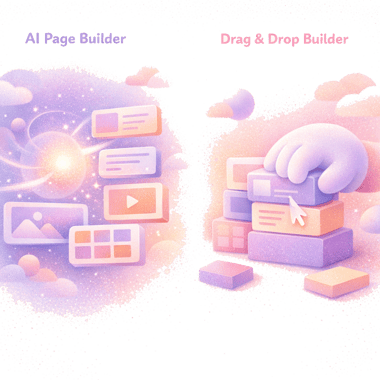
- AI page builders generate a page from a prompt and let you refine it inline. Drag-and-drop builders let you compose a page block by block in a visual editor.
- The largest differences in 2026 aren’t speed of editing - they are output ownership, what happens when the app is gone, and what each tool can actually build.
- Drag-and-drop is the previous decade’s solution. AI builders that output native theme code are where the category is going - faster drafts, native code, no template ceiling.
- For most stores starting fresh in 2026, the answer is the AI workflow. Drag-and-drop holds a narrowing niche for teams already invested in it.
AI page builders generate Shopify pages from a prompt and let you refine them inline; drag-and-drop builders let you compose pages block-by-block in a visual editor. Both still work in 2026, but the comparison has shifted: AI builders that output native theme code now win on output ownership, page speed, and capability ceiling. Drag-and-drop holds a narrowing niche - mainly for teams already invested in it.
This piece compares the two on the questions that actually decide which fits your store: what the output is, what it does to page speed, how editing feels six months in, and what each workflow can build before it hits a ceiling.
Why you can trust us
We have spent over 15 years building for Shopify and the wider web, and we have built Fudge, an AI-first storefront editor for Shopify. We have also installed and tested every meaningful drag-and-drop builder on the market - PageFly, GemPages, Shogun, Replo. The compare-and-contrast below is grounded in shipping both kinds of pages on production stores.
What each workflow actually is
Drag-and-drop
You open a visual editor. The editor shows a canvas with a library of blocks: heroes, image grids, video sections, testimonials, product grids, FAQ accordions, CTAs. You drag blocks onto the canvas, configure each one’s content and styling, preview, save. The page is rendered by the builder’s runtime when a customer visits.
AI prompt-to-page
You describe what you need. “A landing page for our new oat milk launch, hero with bottle image, three ingredient benefits, founder quote, recipe carousel, FAQ.” The AI generates the page. You preview the draft. If something is off, you follow up with a prompt: “make the hero shorter, swap the recipe carousel for a comparison table.” When it’s right, you publish.
The category split: AI builders that publish theme code (you own the output) vs. AI features layered on top of drag-and-drop builders (the AI generates a starter the builder still owns).
For the wider tool comparison, see our best Shopify page builders and best AI page builders for Shopify breakdowns.
Where the two workflows actually differ
At a glance:
| Dimension | AI page builder (native theme code) | Drag-and-drop builder |
|---|---|---|
| Output ownership | Native Liquid + CSS + HTML in your theme; survives uninstall | Rendered by app runtime; usually breaks on uninstall |
| Page speed | No runtime JavaScript on visit; bounded by your theme | Adds runtime JavaScript on every visit; measurable LCP/INP cost |
| Edit feel | Prompt-driven plus click-to-edit element selection in the preview | Click-by-click visual editing |
| Speed to first draft | Seconds (generated from prompt) | 30–90 minutes from scratch, 10–15 min with templates |
| Predictability | Some variance prompt-to-prompt, shrinking as tools mature | High in the small; constrained by block library / template gallery |
| Capability ceiling | Anything your theme can render | What the builder’s block library and templates allow |
| Brand consistency | Captured once (palette, fonts, tone), applied automatically | Imported per block, by hand |
Output ownership
Drag-and-drop builders publish pages that render through the builder’s runtime. Uninstall the app and the page typically breaks or reverts.
AI builders split. Ones that output native theme code (Liquid + CSS + HTML) leave a page that survives the app being removed - it’s just part of your theme now. AI features inside a drag-and-drop builder inherit that builder’s ownership trade-off: uninstall = page breaks.
This is the difference that compounds most over time. Pages built five years ago in a drag-and-drop tool are still tied to it. Pages built as native theme code are still your theme.
Page speed
A drag-and-drop builder’s runtime is JavaScript loaded on every visit to a page it renders. The weight varies by tool, but it’s measurable in Lighthouse. AI builders that output native theme code add zero runtime - the page renders the same as any other Shopify page. See our page builder speed test for the specifics.
This matters beyond UX. Google has confirmed Core Web Vitals are used by its ranking systems, with target thresholds of LCP under 2.5s, INP under 200ms, and CLS under 0.1 (web.dev, 2024). If your store is performance-sensitive (paid traffic, mobile-first audience, slow-network markets), the runtime cost compounds across conversion, ROAS, and organic visibility.
Edit feel
This is where the comparison is most often misunderstood.
Drag-and-drop is hands-on. You see what you’re doing. Click the hero, change the headline, see the result. Marketers who came up in Webflow, Wix, or Squarespace feel at home immediately.
The mistake is assuming AI builders give that up. The good ones (Fudge included) preview the draft and let you click any element to refine it directly - so you get prompt-driven speed and click-to-edit precision in the same workflow. Edits feel like a conversation when that’s faster (“shorter hero, less text in benefits, add a testimonial below the founder quote”) and like clicking when that’s faster (select the hero, change the headline, done).
The honest read: AI builders that pair prompts with direct selection are not a worse hands-on experience than drag-and-drop. They’re a different one. Marketers spend a few sessions adapting; after that, the prompt loop is a strict upgrade for almost everything.
Speed to first publishable draft
AI usually wins this one. A prompt generates a full page in seconds. A drag-and-drop build from scratch takes 30-90 minutes for a non-trivial page. Templates close the gap somewhat - a drag-and-drop builder with strong templates can get you to a usable draft in 10-15 minutes.
The catch is that “first draft” is rarely “publish.” Both workflows have a refinement phase. AI is faster to first draft; drag-and-drop is more predictable on subsequent edits.
Predictability
Drag-and-drop is predictable in the small. The output is exactly what you clicked. AI introduces some variance: the same prompt can produce two different drafts. The gap has been shrinking - good AI builders narrow variance with brand context, accepted patterns, and direct element edits - but it’s still real.
In return, AI removes a different unpredictability: drag-and-drop is unpredictably constrained. A template you needed doesn’t exist, a block you wanted isn’t in the library, a layout you sketched can’t be expressed in the tool’s grid. The AI workflow doesn’t have those walls because the AI writes code - if your theme can render it, the AI can build it.
Click-by-click certainty matters less than people think. Capability ceiling matters more.
Brand consistency
Both workflows can produce on-brand or off-brand pages. The mechanic differs.
Drag-and-drop: you import the brand by hand. Each block gets the right colours, fonts, tone of voice. The result is on-brand because you made it so.
AI: the brand is captured once (palette, fonts, tone samples, product taxonomy) and then applied automatically. Done well, this is faster and more consistent than manual application. Done poorly - if the AI’s brand context is shallow - the result reads generic.
Where AI wins
For almost every Shopify store starting fresh in 2026, the AI workflow is the right default:
- You publish a variety of pages - campaign LPs, seasonal pages, ad-matched LPs, one-offs
- You want a single workflow for landing pages, product page edits, quizzes, bundles, sections, and blog content
- You care about output ownership and page speed
- You don’t have a dedicated designer for every page
- You ship more than 2-3 pages per month
- You don’t want a template gallery deciding what your store can look like
The narrowing niche for drag-and-drop
There are still situations where staying on drag-and-drop makes sense - they’re just shrinking:
- You’re already on a drag-and-drop builder, the pages work, and switching cost outweighs the upside this quarter
- Your team has Webflow / Wix / Squarespace muscle memory and the prompt workflow hasn’t been tried yet
- You publish near-identical pages at high volume against a fixed template (e.g. one LP per ad creative, 30 LPs a month) and the AI category hasn’t proven the same template-fidelity in your stack yet
None of those are permanent moats. They’re transition-cost arguments, not capability arguments.
A practical decision framework
Three questions get you most of the way:
- Do you care if the page survives the app being uninstalled? If yes, you want a tool that outputs native theme code - which today means an AI builder like Fudge rather than any drag-and-drop tool. This alone is enough for most teams.
- Can your team write a sentence? That’s the prompt workflow. People used to ChatGPT, Claude, or Cursor adapt in a day. People who’ve spent years in visual editors take a few sessions - the prompt-plus-direct-select loop bridges the muscle memory faster than people expect.
- How many pages per month? Below 1-2: probably no builder needed; engage a developer. 2 or more: AI wins on time-to-publish and on what you can build. The volume case for drag-and-drop is real but narrowing - AI builders that handle templated runs are catching up fast.
For more on which tool fits which use case, see best Shopify page builders and what is a Shopify page builder.
FAQ
For a first draft, almost always yes - a prompt generates a full page in seconds. For repeated edits to a page that's already drafted, drag-and-drop is often faster because the click loop is more predictable than the prompt loop.
For most landing pages, yes. For pixel-precise layouts with unusual constraints (custom grids, exact crop ratios, specific spacing rules), drag-and-drop still wins because you're placing pixels directly.
Acknowledging bias - we built one - we think largely yes. Drag-and-drop solved the previous decade's problem of letting non-developers ship pages. AI builders that output native theme code solve the next one: same ease of use, faster drafts, native code, no template ceiling. The arguments against the AI category shrink as the tools mature; the arguments for it compound. There will be a long tail of drag-and-drop teams for years, but the centre of gravity has moved.
They typically stay on the drag-and-drop tool until you rebuild. Most teams switch gradually: new pages on the new tool, old pages migrated when they're due for a refresh anyway.
It's different, not harder. Marketers familiar with ChatGPT-style tools usually feel comfortable in a week. Marketers without that exposure take a few weeks to build the prompt muscle.