Key takeaways
- A Shopify fitness equipment PDP sells a considered, high-ticket, spec-heavy purchase. The buyer is asking will it fit my space, will it hold my weight, how does a 300-pound box arrive, and what happens if it breaks.
- The spec table is the sales pitch, not an appendix. Dimensions, weight capacity, and materials belong in metafields rendered as a scannable table, with the three decision specs repeated near the buy box.
- A “will it fit” block is the highest-value fitness-specific element. Footprint, working clearance, and ceiling height math answer the question that actually blocks the order.
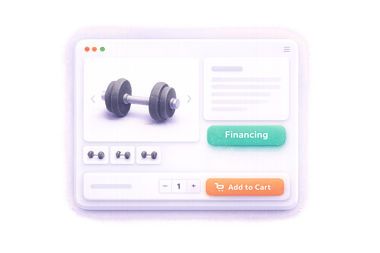
- Financing display moves big-ticket conversion. Shop Pay Installments covers US orders from $35 to $30,000, with monthly terms from $150, so a monthly price can sit next to the full price.
- Shipping, assembly, warranty, and returns are conversion levers, not policy pages. State box counts, assembly time, and who pays return freight on the PDP itself.
A Shopify fitness equipment PDP needs in-use video, a grouped spec table, a will-it-fit block with ceiling math, a monthly financing price, plain shipping and assembly facts, and a component-level warranty near the buy box.
Most product page advice assumes a product someone can buy on a whim. Fitness equipment is the opposite case.
A Shopify fitness equipment PDP sells a purchase the shopper researches for weeks: high price, heavy freight, permanent floor space, and a real injury risk if the thing fails under load. The page has to work like a good salesperson in a showroom - answer the spec questions, do the space math, explain delivery, and take the price objection apart. This guide covers the page element by element. It is the high-AOV sibling of our skincare PDP guide, which covers the other end of the scale.
Why you can trust us
We have been in the Shopify space for over four years and have worked with hundreds of Shopify brands on their storefronts, including equipment and hardware merchants. We build Fudge, the AI operator for Shopify stores, with a 4.9 rating on the Shopify App Store, so we work directly on the theme layer where these blocks live.
What a fitness equipment buyer is actually asking
Every unanswered question sends the shopper to a review site or a Reddit thread. Equipment buyers arrive with a specific list.
| The question | What answers it on the page |
|---|---|
| Will it fit my space? | Footprint, working clearance, and ceiling height stated plainly |
| Will it hold my weight? | A rated capacity with the standard behind it, not “heavy duty” |
| What is it made of? | Steel gauge, tube size, upholstery spec - checkable materials |
| How does it ship? | Box count, weights, freight vs parcel, and the delivery experience |
| Do I have to build it? | Assembly time, tools needed, and whether one person can do it |
| What if it arrives damaged? | A stated damage process, not a buried policy link |
| How long will it last? | Warranty terms by component, plus reviews from long-term owners |
| Can I afford it this month? | A monthly price next to the full price |
| Which model do I actually need? | An on-page comparison between the models in the line |
Answer these in the order the shopper thinks of them. The rest of this guide takes them one block at a time.
Hero media: show it working, show it fitting
Studio shots on white tell an equipment buyer almost nothing. Three kinds of media do the selling.
In-use video. A rack is bought to be loaded and a rower is bought to be pulled, so show a real person doing exactly that. Shopify supports native video in the product gallery at up to 10 minutes, 1 GB, and 4K resolution in .mp4, .mov, or .webm, and external embeds from YouTube or Vimeo.1 Prefer the native upload for the gallery: it plays inside the page without pushing the shopper toward related videos on another platform. A muted 15 to 30 second loop of the product under load beats a two-minute brand film. See our product video in gallery feature page for what this looks like as a theme section.
360 spins and 3D models. Equipment has welds, pulleys, and joints the shopper wants to inspect. Shopify’s gallery accepts 3D models in GLB or USDZ at up to 500 MB, with automatic optimisation above 15 MB.1 A model the shopper can rotate answers “what does the back look like” without a support ticket.
Space-fit imagery. At least one photo of the product in a realistic garage or spare room, with a person in frame for scale. A dimension-overlay image - the product photographed straight-on with height, width, and depth drawn on it - does more for conversion than a fourth glamour angle.
The gallery’s job on an equipment PDP is scale and proof of strength, not atmosphere.
The spec table is the sales pitch
On most PDPs the spec table is an afterthought. On a fitness equipment PDP it is often the most-read block on the page, because specifics are what separate real equipment from lookalike imports.
REP Fitness lists its PR-4000 rack as 3x3” 11-gauge steel with a 1,000 lb rackable capacity, 5/8” holes, and 1” hole spacing through the bench zone.2 A shopper who has done any research knows exactly what each of those numbers means, and a page that says “sturdy steel frame” instead loses that shopper immediately.
How to do the table right:
- Group the rows. Dimensions, capacity ratings, materials, and compatibility as separate clusters, not forty rows in upload order.
- Lead with the three decision specs. For a rack that is footprint, height, and rated capacity. Repeat those three near the buy box; keep the full table lower on the page.
- State both unit systems. Inches and centimetres, pounds and kilograms. Equipment shoppers compare across stores that mix both.
- Name the standard behind a rating where one exists. “Rated to 330 lb” reads better with a word on how that was tested.
Store all of it as metafields, not description HTML. Create the definitions once under Settings, then Custom data, then Products: dimensions, weight capacity, steel spec, box weights. The theme renders them as a consistent table on every product, the values become storefront filters, and updating a spec does not mean editing paragraphs of rich text. This matters double in this category because the same structured specs feed comparison modules and accessory compatibility later on the page.
“Will it fit”: answer the space question on the page
This is the fitness equivalent of skincare’s “will it break me out” - the question that actually blocks the order. Most stores publish a footprint and consider the job done. The footprint is the start.
Footprint vs working footprint. A rack’s base is one number; the space needed to load a bar, walk around it, and bail out of a squat is another. Publish both. “Footprint 48” x 41”, recommended working area 8’ x 8’” answers the real question.
Ceiling height math, done for the shopper. A shopper with a basement gym is doing arithmetic in their head: upright height, plus clearance to mount a pull-up bar, plus head clearance above it. Do it for them in one line: “The 93” upright fits under an 8’ ceiling, but pull-ups on it need about 9’. Under 8’, choose the 80” version.” Manufacturers sell multiple heights for exactly this reason - REP offers the same rack at 80” and 93” with four depth options2 - but few PDPs spell out which ceiling each height needs.
A floor template or dimension diagram. A downloadable one-page PDF the shopper can tape out on the floor is cheap to produce and remembered. At minimum, a top-down line drawing with clearances marked.
Doorway and delivery fit. The assembled machine fits the room; does the largest box fit the stairwell? One line on the longest box dimension prevents a refused delivery.
If the shopper has to find a tape measure and a calculator to know whether it fits, the tab gets closed first.
Financing display for big tickets
At a $2,000 average order value, how the price is presented matters nearly as much as the price.
Show the monthly price next to the full price. Shop Pay Installments is available to eligible stores in the US, Canada, and the UK, and in the US it covers orders from $35 to $30,000 including shipping and taxes.3 US buyers see two or four biweekly interest-free payments on orders up to $999.99, and monthly financing from $150 upward on terms of 3 to 24 months at 0 to 36% APR.4 At 0% APR, a $1,999 rack over 12 months is about $167 a month, and that number belongs near the price, not hidden until checkout.
Be straight about the terms. “From $X/month” messaging with an APR range disclosed reads as financing. “Only $X/month” with the APR buried reads as a trick, and equipment buyers are a sceptical audience.
Know the category’s extra option. Fitness merchants increasingly surface HSA/FSA eligibility alongside standard financing - REP’s rack page lists Shop Pay, Affirm, and Truemed at checkout.2 If your products qualify, that is a real price reduction for US buyers and worth a line on the PDP.
Keep one buy box. Financing messaging supports the add to cart; it should not become a second competing widget stack between the price and the button.
Shipping and assembly: set expectations before the shopper invents worse ones
Freight is the part of the purchase the shopper dreads, and silence makes it worse. Two blocks fix it.
The shipping block. State what actually happens: parcel or freight, how many boxes, the heaviest box weight, curbside or threshold delivery, and the lead time. “Ships in 3 boxes, heaviest 74 lb, curbside freight, 5 to 9 business days” is a paragraph that saves a hundred support tickets. REP’s page commits to shipping within 24 to 48 hours, which turns a vague anxiety into a known quantity.2 If you offer free shipping above a threshold, say it on the PDP - our free shipping threshold guide covers how to set that number so it does not eat the margin on heavy goods.
The assembly block. Answer four things: how long assembly takes for a normal person, what tools are needed, whether it is a one-person or two-person job, and where the instructions live. Linking the assembly PDF and manual on the PDP before purchase is a quiet trust signal: the brand that shows the instructions is not hiding a nightmare. If you offer paid assembly, price it here as an option, not as a surprise in the cart.
The damage process. Freight gets dented. A short “if anything arrives damaged, photograph the box and contact us within 48 hours; we ship replacement parts free” line converts a purchase risk into a known procedure.
Warranty and returns as conversion levers
On a considered purchase, the warranty is not legal boilerplate. It is a durability claim with consequences, which makes it more credible than any adjective.
Break the warranty down by component. Lifetime on the frame, a stated term on moving parts, a shorter one on upholstery. That structure signals the brand knows exactly where its product wears, which is more reassuring than a single vague “10-year warranty” line.
Put it near the buy box, not in the footer. The moment of doubt happens next to the price.
Be honest about returns on heavy goods. Who pays return freight, whether there is a restocking fee, and whether the product must be disassembled and re-boxed. A 30-day money-back policy stated plainly - as REP does2 - is a strong lever, but an honest “returns cost $X in freight” beats a vague promise that turns into a fight later. The shopper deciding between two racks will pick the one whose downside is known.
Social proof that supports durability claims
A five-star average is weak proof for equipment. Proof that the thing survives years of use is strong proof.
Collect longevity context in reviews. “Owned for 14 months, used 4x a week” next to a rating is worth more than the rating alone. Review apps support custom attributes; two or three - ownership length, usage frequency, use case - is the practical limit.
Show volume and distribution. REP’s rack shows 4.9 stars across 675 reviews with a 99% would-recommend figure.2 The count and the distribution carry the message; a lone average does not.
Customer photos of real installations. A UGC strip of actual garages and basements does two jobs at once: proof of durability and more space-fit reference imagery. Amateur lighting is a feature here, not a bug.
Answer questions in public. A Q&A block on the PDP captures the spec questions your table missed, and every answered question is content the next shopper needed. Equipment buyers cross-check everything on forums anyway; the PDP that already answers the forum questions wins the tab war.
Comparison modules between models
Equipment lines come in tiers - entry, mid, heavy - and the shopper’s real question is often not “should I buy” but “which one”. If the comparison does not happen on your page, it happens on a review site with affiliate links to your competitors.
Build a compact on-page comparison for the product line: one column per model, rows for the decision specs - capacity, steel spec, footprint, height options, price. Three to five rows is enough; a full spec dump belongs on each PDP, not in the comparison. Link each column to its PDP, and mark which model the current page shows.
Because the specs already live in metafields, the comparison table can render from the same data, which keeps it correct when a spec changes. A hand-typed comparison table is wrong within a quarter.
Include one honest “who should buy which” sentence per model. “The 80” version for ceilings under 8’; the heavier line if you plan to load above 700 lb.” Steering some shoppers to the cheaper model is what makes the steering believable.
Sticky add-to-cart and variant behaviour on a long page
Everything above makes the page long, and long is correct for this purchase. Two mechanics keep a long page buyable.
A sticky add-to-cart bar showing the product name, the selected configuration, the price, and the button. The shopper who just finished the warranty section should not scroll back through 4,000 pixels to buy. Our sticky add-to-cart guide covers the implementation options.
Variant switching that updates everything. Fitness equipment variants are configurations - height, depth, colour, attachment package - and each switch has to update the price, the monthly financing figure, the images, the availability, and the dimension specs, because an 80” and a 93” rack are different objects in the room. If a spec differs by variant, that spec belongs on the variant, not the product.
Per-variant stock honesty matters more here than in fast-moving categories: equipment restocks arrive by container, so “back in stock in 3 weeks” on the sold-out height is genuinely useful information rather than pressure. A variant-aware stock display shows the state of the selected configuration, not a store-wide fiction.
Accessories cross-sell that reads as completing the setup
Fitness equipment is an ecosystem purchase: the rack leads to plates, a bar, a bench, and attachments. Two rules keep the cross-sell useful.
Sell compatibility as data, not vibes. “Fits 3x3” uprights with 5/8” holes” is a compatibility spec, and it should live as a metafield on every attachment so the rack PDP can show only accessories that actually fit the selected model. A wrong-size attachment order is an expensive return and a lost customer.
Frame the cross-sell as “what you need to start”, not “you may also like”. A short block - bar, plates, safeties, flooring - with one honest line on what is essential versus optional reads as advice. A generic recommendation carousel reads as padding. Bundles with a stated saving belong here too, since the shopper is already doing the mental arithmetic of a full setup.
What to build where
Some of this is a theme setting, some is data modelling, and some needs a custom section.
| PDP element | Where it lives |
|---|---|
| In-use video and 3D model | Native product media in the gallery |
| Dimension-overlay and space imagery | Product media, produced once per line |
| Spec table | Product metafields rendered by a table section |
| Will-it-fit block and ceiling math | Metafields for clearances, plus a custom section |
| Financing message near the price | Payment provider banner, plus placement in the buy box |
| Shipping, assembly, damage blocks | Metafields for box data, in collapsible rows |
| Warranty by component | Product or line-level metafield, near the buy box |
| Reviews with ownership context | Review app custom attributes |
| Model comparison module | Custom section reading the same spec metafields |
| Sticky add-to-cart | Theme setting in some themes, otherwise custom |
| Compatibility-filtered accessories | Metafields on accessories, plus a filtered cross-sell |
The metafield definitions are one-time setup that pays for itself across the catalogue. The custom sections are where most equipment brands stall, because no theme ships with a will-it-fit block or a spec-driven comparison module. That is the gap Fudge’s store editor fills: you describe the section, and it writes the Liquid, CSS, and JavaScript into a draft of your own theme, reading your existing brand and product data. The output is native theme code rather than an app-rendered layer, so nothing extra loads on an already heavy page, and the sections stay if you ever remove Fudge. If you don’t know which PDP to start with, Fudge can work that out from your analytics, flag the product pages that lose the most shoppers, and compare conversion rate on each page before and after a change goes live.
FAQ
What should a fitness equipment product page include?
Beyond the standard elements, it needs in-use video, a grouped spec table with dimensions, weight capacity, and materials, a will-it-fit block covering footprint, working clearance, and ceiling height, a monthly financing figure near the price, explicit shipping and assembly expectations, warranty terms broken down by component, and reviews that show how long owners have used the product. A model comparison module and compatibility-filtered accessories complete the page.
How do I show financing on a Shopify product page?
Shop Pay Installments is available to eligible stores in the US, Canada, and the UK, and in the US it covers orders from $35 to $30,000 including shipping and taxes. US buyers see two or four biweekly interest-free payments on orders up to $999.99 and monthly terms of 3 to 24 months from $150, at 0 to 36% APR. Enable it in your payment settings and Shopify can show installment messaging on the product page near the price.
Should I use video or 3D models for fitness equipment?
Both, for different jobs. A short native video shows the product under real load, which is the durability proof shoppers want. A 3D model lets them inspect welds, joints, and the back of the machine. Shopify supports native gallery video up to 10 minutes and 1 GB, and 3D models in GLB or USDZ up to 500 MB, so neither requires a third-party app.
How do I handle freight shipping expectations on the PDP?
State the facts a freight delivery actually involves: how many boxes, the heaviest box weight, curbside versus threshold delivery, and the lead time. Add one line on what to do if something arrives damaged. Shoppers do not abandon because freight is slow; they abandon because the page is silent and they assume the worst.
Where should product specs live in Shopify?
In product metafields, defined once under Settings, then Custom data, then Products. Structured specs render as a consistent table on every PDP, work as storefront filters, and can feed a comparison module and accessory compatibility logic from the same data. Specs typed into the description field can do none of that and drift out of date product by product.
Do sticky add-to-cart bars help on long product pages?
Yes, and equipment pages are exactly the case they exist for. A well-built spec-heavy PDP runs long, and the shopper who finishes the warranty section should not have to scroll back to the top to buy. Show the selected configuration and price in the bar, not just a button, so the shopper can confirm what they are about to add.
How should warranty information appear on a fitness equipment page?
Near the buy box, broken down by component: frame, moving parts, upholstery. A component-level warranty reads as a credible durability claim because the brand is naming where the product wears. Pair it with an honest returns line that states who pays return freight and whether there is a restocking fee.

Footnotes
-
Shopify Help Center, “Product media types” - native gallery video up to 10 minutes, 1 GB, and 4K (4096 x 2160 px) in .mp4, .mov, or .webm; external video embeds limited to YouTube and Vimeo; 3D models in GLB or USDZ up to 500 MB, automatically optimised above 15 MB. https://help.shopify.com/en/manual/products/product-media/product-media-types (checked September 2026) ↩ ↩2
-
REP Fitness, “PR-4000 Power Rack (Pre-Selected)” product page - 3x3” 11-gauge steel, 1,000 lb rackable capacity, 5/8” holes, 1” hole spacing in the bench zone, 80” and 93” heights with 16”, 24”, 30”, and 41” depths; ships within 24 to 48 hours; Shop Pay, Affirm, and Truemed offered; 30-day money-back returns; 4.9 stars across 675 reviews. https://repfitness.com/products/pr-4000-power-rack-pre-selected (checked September 2026) ↩ ↩2 ↩3 ↩4 ↩5 ↩6
-
Shopify Help Center, “Shop Pay Installments” - available to eligible stores in the United States, Canada, and the United Kingdom; in the US, orders from $35 to $30,000 USD qualify, including discounts, shipping, and taxes. https://help.shopify.com/en/manual/payments/shop-pay-installments (checked September 2026) ↩
-
Shopify Help Center, “Shop Pay Installments customer experience” - US options are two biweekly interest-free payments for orders from $35 to $50, four biweekly interest-free payments for orders from $50 to $999.99, and monthly payments from $150 at 0 to 36% APR on 3, 6, 12, 18, or 24-month terms. https://help.shopify.com/en/manual/payments/shop-pay-installments/customer-experience (checked September 2026) ↩
