
Key takeaways
- A Shopify page builder is an app or tool that lets non-developers build custom pages without writing Liquid, HTML, or CSS.
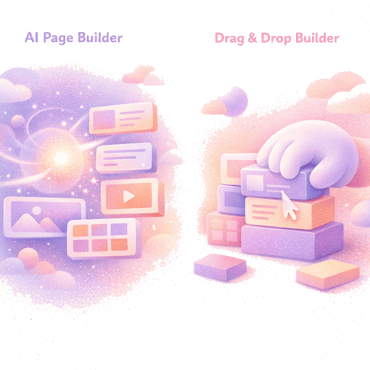
- Three categories exist in 2026: drag-and-drop builders (PageFly, GemPages), AI builders that output theme code (Fudge), and visual editors layered on top of templates.
- The right choice depends on whether you want speed of editing, ownership of the output code, or independence from a third-party app.
- The native Shopify theme editor handles a lot already. A page builder is worth it only when you regularly need pages or sections the theme editor cannot cover.
Definition: A Shopify page builder is an app or AI tool that lets you create custom pages, landing pages, and storefront sections on a Shopify store without writing Liquid, HTML, or CSS. Three families exist in 2026: drag-and-drop visual builders, AI builders that output native theme code, and visual editors layered on templates.
Where the native theme editor stops at the sections the theme exposes, a page builder lets you go further: ad-matched landing pages, quizzes, bundle pages, campaign hubs, and product pages built outside the template defaults. The choice between the three families comes down to what happens to your store when the app is gone, how fast it loads, and what you can build before hitting the tool’s ceiling.
Why you can trust us
We have spent four years working in the Shopify ecosystem and have helped hundreds of brands ship better storefronts. We also built Fudge, an AI page builder and storefront editor for Shopify with a 4.9 rating on the Shopify App Store.
What does a Shopify page builder do?
A page builder gives you a way to compose a page from a library of blocks - heroes, image grids, testimonials, video sections, product grids, FAQs, comparison tables - without editing the theme code directly.
In practice that means three jobs:
- A canvas where you assemble the page from blocks, usually with a live preview.
- A template library of pre-built sections and layouts to start from rather than from blank.
- A publish step that pushes the finished page to your live storefront, either as a Shopify page resource (
/pages/x) or, in some cases, as a theme template.
The detail that matters most is what the publish step actually outputs. Some builders publish a Shopify page that lives inside an iframe or behind a script tag the app controls. Others output Liquid + HTML + CSS that becomes part of your theme. The difference shows up later, when you uninstall, change themes, or want to hand the store to a developer.
Where the page builder sits next to the theme editor
The native Shopify theme editor already handles a meaningful slice of what page builders are sometimes hired for: drag sections on the homepage, edit headings, swap blocks, change product page layouts on Online Store 2.0 themes. For context on the scale: Shopify reports $1 trillion+ in cumulative merchant sales and roughly 10% of US ecommerce running through its platform (Shopify, 2024), so the theme editor’s coverage gaps are felt across a very large surface area.
You probably don’t need a page builder if:
- Your team only edits the homepage and product page occasionally
- You can express what you need with the sections your theme ships with
- You don’t need landing pages, quizzes, bundle pages, or campaign-specific layouts
You probably do need one if:
- You run paid traffic and want ad-matched landing pages
- You launch seasonal or campaign pages multiple times per quarter
- Your product page needs a layout your theme doesn’t expose
- You want to test page variants quickly without engaging a developer
For most stores, the answer is somewhere in between: the theme editor for steady-state pages, a page builder for everything that doesn’t fit the theme’s defaults. See our breakdown of the best Shopify page builders for the side-by-side comparison.
The three families of Shopify page builders in 2026
| Family | Output | Speed impact | Survives uninstall | Examples |
|---|---|---|---|---|
| Drag-and-drop visual builders | App-rendered pages | Adds JavaScript runtime on every visit | No — page reverts to placeholder | PageFly, GemPages, Shogun, Replo |
| AI builders that output theme code | Native Liquid + CSS + HTML in your theme | No runtime; same as a hand-coded page | Yes — page stays | Fudge |
| Visual editors layered on templates | Constrained to template layouts | Depends on host theme | Yes (theme-bound) | Theme-bundled editors |
1. Drag-and-drop visual builders
The category that built the page-builder market. PageFly, GemPages, Shogun, Replo. You assemble pages by dragging blocks onto a canvas and editing inside their visual editor.
What they’re good for: marketers who want hands-on control of the layout, click by click. The block libraries are large, the visual editors are mature, and you can build complex pages without code.
The trade-off: the page is rendered through the app’s runtime, usually with extra JavaScript loaded on every visit. When you uninstall, the pages typically break or revert to a placeholder. The visual quality is high while you pay; the dependency persists for as long as the page is live.
2. AI page builders that output theme code
A newer category. You describe what you need in natural language, the AI generates the page directly in your theme as Liquid + CSS + HTML, and you publish from a draft view. Fudge is the example we work on most closely, but the category as a whole is growing.
What they’re good for: teams that want the speed of an AI-generated draft and the durability of native theme code. You own the output. If you uninstall the app, the pages stay.
The trade-off: the workflow leans on prompts rather than block-dragging. That said, the best tools in this category (Fudge included) let you preview the draft and click any element to refine it directly — so it’s not purely chat-driven. Marketers who came up in drag-and-drop tools take a few sessions to feel at home in the prompt-plus-select loop.
3. Visual editors layered on top of templates
A smaller third group. Tools that lean closer to a theme editor than a full page builder - more constrained, more opinionated, but easier to use for non-technical teams. Some Shopify themes ship with their own builder-style editors in this category.
What they’re good for: stores that want a small set of well-designed layouts without learning a new tool. Limits creativity, but reduces the chance of building something that breaks on mobile or hurts page speed.
How to choose a Shopify page builder
Five questions decide which category of builder fits your store.
Does the page survive an uninstall?
Test it. Build a test page, uninstall the app, see what you have left. If it’s an empty page or a shortcode, the app owns your output. If it’s intact Liquid + CSS, you do.
What does it do to page speed?
Drag-and-drop builders typically add a JavaScript runtime to every page they render. Some are heavier than others. AI builders that output native theme code add no runtime - the page renders the same as any other Shopify page. For an apples-to-apples comparison, see our Shopify page builder speed test.
How does it fit your team?
A marketer who lives in visual editors will be slower in an AI prompt loop, and vice versa. The best tool is the one your team will actually use weekly. If you have a developer in the loop, the trade-off shifts toward output ownership.
Can it cover the use cases you care about?
Landing pages, product page templates, quizzes, bundles, campaign hubs, blogs, FAQ pages, comparison pages, custom collections. Not every builder covers every surface. Make a list of what you actually publish per quarter and check the tool against it.
What does it cost over a year?
Monthly app fees compound. Most builders price between $20 and $100/month for a working tier. Multiply by 12 and compare to the alternative - a freelance Shopify developer can be cheaper for a store that publishes 1-2 pages per quarter. Page builders pay back when you ship volume.
Page builder vs page builder app vs storefront editor
These terms get used interchangeably and they’re not quite the same.
- Page builder is the generic term. Anything that lets a non-developer compose Shopify pages.
- Page builder app is a page builder distributed through the Shopify App Store and installed into a specific store.
- Storefront editor is a broader category: tools that let you edit any part of the storefront, not just pages. Fudge sits closer to this group - landing pages, product pages, sections, quizzes, bundles, SEO updates, and blog content from one workflow.
If you only need to publish a handful of landing pages a quarter, a page builder is enough. If you want to take care of the whole storefront from one tool, look at storefront editors. See our Shopify store editor page for the wider category.
A short note on AI page builders specifically
You can see the output style without installing anything: Fudge’s free Shopify tools include a website redesign generator that designs three homepage directions from your real store content.
The AI category is the newest and the fastest moving. The differentiator is the workflow: instead of dragging blocks, you describe what you want (“a landing page for our new oat milk launch with a hero, three benefits, founder quote, and FAQ”). The AI generates the page in your theme, you preview it as a draft, you click any element you want to change, and you publish when it’s right.
The benefit is speed: a first draft of a landing page in minutes, refined with follow-up prompts or direct element edits. The constraint is intent capture: the AI is only as good as the prompts and the brand context it has. The best AI builders accept feedback (“make the hero shorter, change the third benefit”) and iterate without redoing the page.
More than a page builder
It’s worth pulling the lens back. The category we’re calling “AI page builder” sits closer to “an AI that implements like a developer” than to “a page builder app.” Where drag-and-drop tools constrain you to a block library and a template gallery, an AI that generates Liquid + CSS + HTML directly into your theme is bounded only by what your theme can express - which on Shopify is anything. Custom layouts, bespoke sections, product-page variants, JavaScript interactions, full landing-page concepts that don’t exist in any template: an AI that writes the code can build them all. That’s not a page-builder problem any more.
Where the category is going
Acknowledging the bias up front - we built Fudge, so we have a view. We think this is where the category settles. Drag-and-drop tools solved last decade’s problem: let non-developers ship pages. AI builders that output native theme code solve the next one: let those pages survive uninstall, match a hand-coded page on speed, and stop being constrained by a block library. The arguments against the category - predictability, hands-on feel - get smaller as the tools mature. The arguments for it - speed, ownership, no template ceiling - compound.
For a deeper comparison, see our AI vs drag-and-drop page builder breakdown and our list of best AI page builders for Shopify.
FAQ
Only if you regularly need pages or sections the native theme editor can't produce - landing pages, quizzes, bundle pages, campaign hubs, custom product layouts. If you only edit the homepage and product page occasionally, the theme editor is usually enough.
They pay back when you publish often. A store shipping 2 to 4 new pages per quarter usually clears the monthly fee in saved developer hours. A store that publishes a page every six months would be better off hiring a developer ad-hoc.
It depends on the category. Drag-and-drop builders typically add JavaScript that loads on every visit to a page they render. AI builders that output native theme code add no runtime. Test before you commit.
For drag-and-drop builders: usually the page breaks or shows a placeholder. For AI builders that write native theme code: the page stays exactly as published. Test with a single page on a development theme before committing.
Technically yes, practically no. Each adds its own JavaScript and its own way of marking up pages. Stacking two builders usually hurts speed and makes maintenance harder. Pick one.