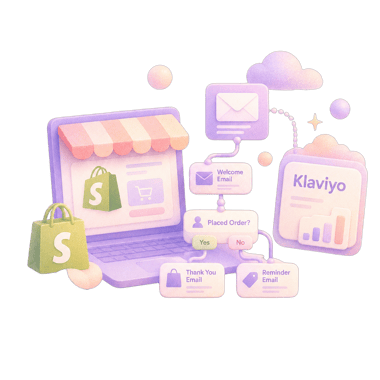

Key takeaways
- Klaviyo is the dominant ESP on Shopify. The integration is well-supported and the setup is straightforward.
- Five flows do most of the work: welcome, abandoned cart, post-purchase, browse abandonment, win-back. Build these before any campaign sends.
- Segmentation does more for revenue than copy does. Send the right message to the right segment; the copy is secondary.
- Klaviyo’s free tier covers up to 250 contacts and 500 monthly email sends - enough to build and validate your flows before paying. Beyond that, paid tiers earn back.
This guide is the practical setup of Klaviyo on Shopify - install, the flows that matter, segmentation that earns its keep, and what’s safe to skip.
Why you can trust us
Four years in Shopify, dozens of Klaviyo setups across categories. We build Fudge, the AI agent on the storefront side - the popups, post-purchase pages, and landing pages that feed Klaviyo’s data.
Step 1: Install and connect
- Install the Klaviyo app from the Shopify App Store.
- Authorise the connection - this syncs your customer, order, and product data automatically.
- Verify the data sync ran correctly in Klaviyo (Profiles → search for a known customer).
- Install Klaviyo’s web tracking snippet via Shopify’s pixel manager. This tracks site behaviour for segmentation.
The integration is solid. Sync usually completes within an hour for stores under 50K customers.
Step 2: Set up the five flows that matter
1. Welcome flow
Triggers: new subscriber via popup or signup form.
Touches: 3-5 emails over 7-10 days.
- Touch 1 (immediate): the discount code, brand intro, single CTA back to the store.
- Touch 2 (24h): founder story + brand promise.
- Touch 3 (72h): if no purchase, the offer reminder + curated 3-product pick.
- Touch 4 (5d): UGC + customer photos.
- Touch 5 (10d): final discount-code reminder before expiry.
2. Abandoned cart flow
Triggers: started checkout, didn’t complete.
Touches: 3 emails over 72 hours.
- Touch 1 (1h): “you left something” + items + checkout link.
- Touch 2 (24h): incentive to complete (5-10% off or free shipping).
- Touch 3 (72h): final reminder.
Don’t extend beyond 72h; abandoned-cart relevance decays sharply.
3. Post-purchase flow
Triggers: order placed.
Touches: 3-5 emails over 14-21 days.
- Touch 1 (immediate): thank-you + how-to-use content.
- Touch 2 (3d): customer success / educational content.
- Touch 3 (7d): UGC + community.
- Touch 4 (14d): cross-sell / replenishment reminder.
- Touch 5 (21d): review request.
4. Browse abandonment
Triggers: viewed a product, didn’t add to cart, exited.
Touches: 1-2 emails over 24 hours.
- Touch 1 (3h): “still thinking about this?” + the product + 1-2 alternatives.
- Touch 2 (24h, optional): incentive.
Lower priority than abandoned cart; many stores skip this flow.
5. Win-back flow
Triggers: previously purchased, no purchase in 60-90 days (depends on category cadence).
Touches: 2-3 emails over 14 days.
- Touch 1: “we miss you” + new arrivals.
- Touch 2 (7d): incentive to return.
- Touch 3 (14d): final incentive + risk-free framing.
Step 3: Set up segmentation
Selling a consumable category changes the shape of these flows. For a worked example, see our guide to Klaviyo flows for skincare brands, which covers replenishment timing and the post-purchase education window. Fashion brands have their own worked example in our guide to Klaviyo flows for fashion.
The segments that earn revenue.
Engagement segments
- Engaged 30: opened or clicked in the last 30 days
- Engaged 90: same, 90 days
- Disengaged: no open/click in 90+ days
Most stores should send most campaign mail to Engaged 30 + Engaged 90. Sending to disengaged at high frequency hurts deliverability.
Behaviour segments
- Cart abandoners (last 30 days) - separate from active flow
- Browse abandoners (last 30 days)
- Quiz completers (if you run a quiz)
- High-AOV customers (purchase value > X)
- VIP customers (multiple purchases / lifetime value above threshold)
Lifecycle segments
- New subscribers (no purchase yet)
- First-purchase customers
- Repeat customers
- Lapsed (last purchase > 6 months)
Product / category segments
- Customers who bought from category X (use for category-specific cross-sells)
- Customers who bought specific product Y (use for replenishment)
For wider context see Shopify sales funnel and 12 high-impact CRO tactics.
Step 4: Build campaigns on top of flows
Flows are automated, segmented messaging. Campaigns are time-specific blasts (BFCM, new product launch, content release).
Campaign best practices:
- Always segment by engagement (don’t send to Disengaged 90)
- Test send times in your audience’s timezone
- A/B test subject lines on engaged segments before sending to the full list
- Track revenue per send, not just open rate
What to skip in Klaviyo
- SMS at low scale. SMS open rates are great; the per-send cost is real. Below $500K revenue, focus email; layer SMS later.
- Predictive analytics features at low scale. Klaviyo’s predictive LTV / churn risk requires meaningful purchase volume to calibrate. Below 1,000 customers, the predictions are noise.
- Complex split testing without traffic. Below 50,000 contacts on the list, A/B testing campaigns produces noisy results.
- Every flow on day one. Build the five core flows first. Add browse abandonment, replenishment, and others later as data accumulates.
For wider context see best Shopify apps for CRO and Shopify newsletter popup guide.
FAQ
For most DTC Shopify stores, yes. The integration is the best in the category, the segmentation is strong, and the pricing scales reasonably. Alternatives (Omnisend, MailerLite, Sendlane) work for specific use cases but Klaviyo is the default.
Flows are automated, triggered by customer behaviour (signed up, abandoned cart, purchased). Campaigns are time-specific blasts (BFCM, new launch). Both are essential; flows do more work over time.
Five: welcome, abandoned cart, post-purchase, browse abandonment, win-back. Build these before running any campaigns. Other flows can come later as you have data.
Up to 250 contacts and 500 monthly email sends, yes. That's enough to build and validate your flows, but most active stores outgrow it quickly - above that, paid tiers earn back via segmentation and deliverability features.
No. Engaged subscribers can take 2-3 emails per week. Disengaged should rarely receive emails - they hurt deliverability. Segment by engagement at minimum.